Understanding Smartwatch Operating Systems Wear OS vs WatchOS
Learn about the different smartwatch operating systems like Wear OS and WatchOS. Understand their features and compatibility.
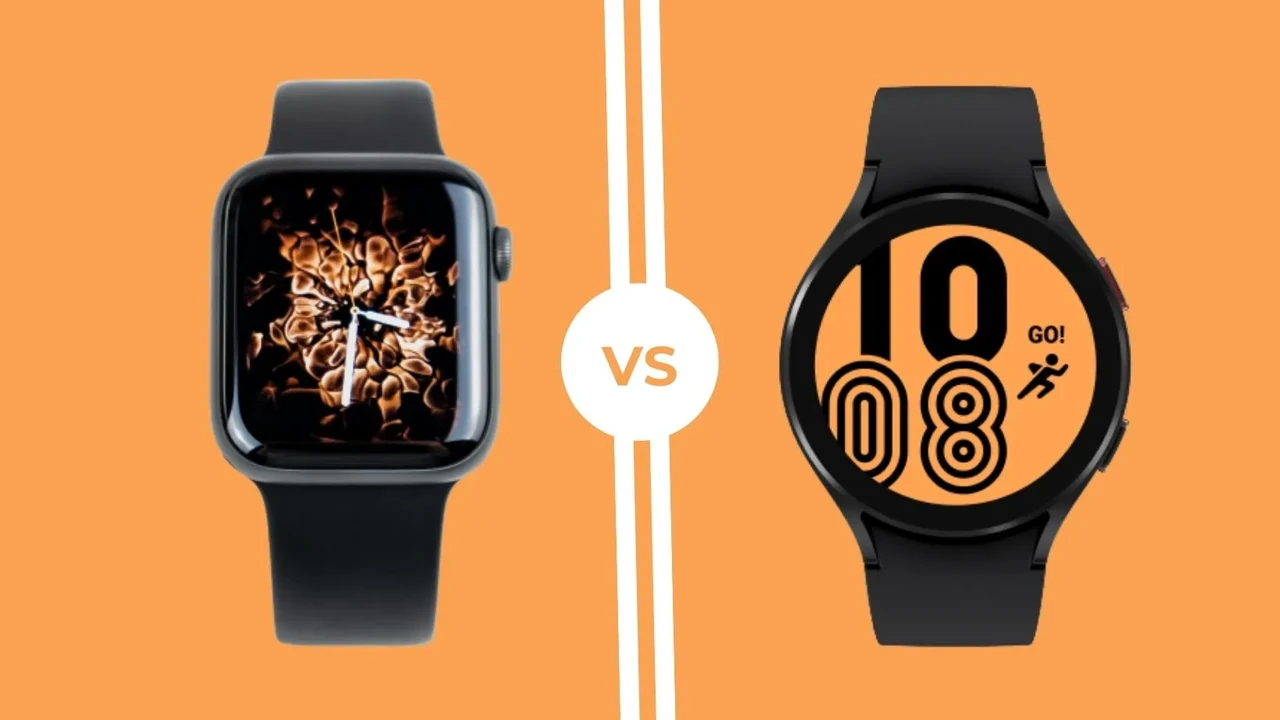
Learn about the different smartwatch operating systems like Wear OS and WatchOS. Understand their features and compatibility.
Understanding Smartwatch Operating Systems Wear OS vs WatchOS
Hey there, tech enthusiasts and smartwatch curious folks! So, you're thinking about diving into the world of smartwatches, but feeling a bit overwhelmed by all the jargon? You're not alone. One of the biggest decisions you'll face, often even before picking a brand, is choosing the right operating system (OS). It's kind of like picking between iOS and Android for your phone – the OS dictates a lot about your user experience, app availability, and even how well it plays with your existing devices. Today, we're going to break down the two big players in the smartwatch OS arena: Google's Wear OS and Apple's WatchOS. We'll explore their features, compatibility, and even throw in some product recommendations to help you make an informed choice. Let's get started!
Wear OS The Android Ecosystem on Your Wrist
Wear OS, formerly known as Android Wear, is Google's operating system designed for smartwatches. If you're an Android phone user, this is likely where you'll find the most seamless integration. Wear OS aims to bring the power and familiarity of Android to your wrist, offering a wide range of features and compatibility with various hardware manufacturers.
Key Features and Functionality of Wear OS Smartwatches
Wear OS smartwatches are packed with features that make your daily life easier and more connected. You'll find comprehensive notification management, allowing you to see and respond to messages, emails, and app alerts right from your wrist. Google Assistant integration is a huge plus, letting you set reminders, ask questions, and control smart home devices with just your voice. Fitness tracking is robust, with Google Fit built-in, offering activity tracking, heart rate monitoring, and even sleep analysis on many devices. Google Pay for contactless payments is super convenient, letting you leave your wallet at home. Plus, with access to the Google Play Store, you can download a plethora of apps directly to your watch, from navigation to music streaming.
Compatibility and Device Ecosystem for Wear OS
One of Wear OS's biggest strengths is its broad compatibility. While it's primarily designed for Android phones, most Wear OS watches can also pair with iPhones, though with some limitations in functionality (e.g., iMessage replies might not be as seamless). The Wear OS ecosystem is diverse, with many different manufacturers producing watches, giving you a wide range of design, price, and feature options. This means you're not locked into a single brand, which is great for choice.
Popular Wear OS Smartwatches and Their Pricing
Let's talk about some of the top Wear OS smartwatches currently on the market, their typical use cases, and approximate pricing. Keep in mind that prices can fluctuate based on sales, retailers, and specific configurations (e.g., LTE vs. Wi-Fi only).
Samsung Galaxy Watch Series (e.g., Galaxy Watch 6, Galaxy Watch 5 Pro)
- Use Case: These are fantastic all-rounders, perfect for Android users who want a premium experience. They excel in fitness tracking, health monitoring (ECG, body composition on some models), and seamless integration with Samsung's ecosystem. The Pro models offer extended battery life and more rugged designs for outdoor enthusiasts.
- Comparison: The Galaxy Watch series often stands out for its sleek design, vibrant displays, and robust health features. They offer a more refined Wear OS experience, especially for Samsung phone users, thanks to Samsung's One UI Watch overlay.
- Approximate Price: Galaxy Watch 6 starts around $299, Galaxy Watch 5 Pro around $449.
Google Pixel Watch Series (e.g., Pixel Watch 2)
- Use Case: If you're a Google Pixel phone user or simply want the purest Wear OS experience directly from Google, the Pixel Watch is your go-to. It boasts deep Fitbit integration for excellent health and fitness tracking, a beautiful, minimalist design, and smooth performance.
- Comparison: The Pixel Watch emphasizes a clean, intuitive interface and strong health tracking powered by Fitbit. Its design is unique and eye-catching, though battery life on the first generation was a point of contention (improved in Pixel Watch 2).
- Approximate Price: Pixel Watch 2 starts around $349.
Mobvoi TicWatch Pro Series (e.g., TicWatch Pro 5)
- Use Case: Known for their innovative dual-layer displays that significantly extend battery life, TicWatch Pro models are great for users who prioritize longevity without sacrificing smart features. They're also solid for general fitness tracking and daily use.
- Comparison: The standout feature here is the FSTN LCD display layered over the AMOLED, offering an 'essential mode' for weeks of battery life. They often provide good value for money compared to some premium competitors.
- Approximate Price: TicWatch Pro 5 around $349.
Fossil Gen 6
- Use Case: Fossil smartwatches are a blend of fashion and tech. If you want a traditional watch aesthetic with smart capabilities, Fossil offers a wide range of stylish options. They're good for notifications, basic fitness tracking, and Google Assistant.
- Comparison: Fossil focuses heavily on design and customization, offering many different styles and interchangeable bands. While not always at the cutting edge of health sensors, they provide a solid Wear OS experience for the fashion-conscious.
- Approximate Price: Fossil Gen 6 often found around $229-$299.
WatchOS The Apple Ecosystem on Your Wrist
WatchOS is Apple's proprietary operating system exclusively for the Apple Watch. If you're an iPhone user, this is the only smartwatch OS that will give you the full, uncompromised experience. WatchOS is renowned for its intuitive interface, deep integration with iOS, and robust health and safety features.
Key Features and Functionality of WatchOS Smartwatches
Apple Watch, powered by WatchOS, is a powerhouse of features. Notifications are incredibly well-managed, allowing for quick replies and actionable alerts. Siri integration is seamless, letting you control your watch and smart home devices with voice commands. Health and fitness tracking are arguably best-in-class, with features like ECG, blood oxygen monitoring, advanced workout tracking, fall detection, and even crash detection on newer models. Apple Pay is incredibly convenient for contactless payments. The App Store for Apple Watch offers a vast selection of apps optimized for the small screen, from productivity tools to games. Communication features like Walkie-Talkie and direct calls from the watch are also big draws.
Compatibility and Device Ecosystem for WatchOS
Here's the crucial part: WatchOS is exclusively compatible with iPhones. You cannot use an Apple Watch with an Android phone. This is a significant limitation if you're not an iPhone user, but for those who are, it means unparalleled integration and a highly optimized user experience. The Apple Watch ecosystem is tightly controlled by Apple, ensuring consistent performance and a high level of quality across all models.
Popular WatchOS Smartwatches and Their Pricing
Let's look at the main Apple Watch models, their ideal users, and approximate pricing. Apple typically offers a few models concurrently, catering to different needs and budgets.
Apple Watch Series (e.g., Apple Watch Series 9)
- Use Case: This is the flagship Apple Watch, perfect for iPhone users who want the latest and greatest features. It offers advanced health sensors (ECG, blood oxygen, temperature sensing), a brighter display, and cutting-edge performance. Ideal for health-conscious individuals, fitness enthusiasts, and those who want the most comprehensive smartwatch experience.
- Comparison: The Series models are at the forefront of smartwatch technology, consistently pushing boundaries in health monitoring and user experience. They offer the most complete feature set within the Apple ecosystem.
- Approximate Price: Apple Watch Series 9 starts around $399.
Apple Watch SE (e.g., Apple Watch SE 2nd Gen)
- Use Case: The Apple Watch SE is the more affordable entry point into the Apple Watch ecosystem. It provides the core Apple Watch experience – excellent fitness tracking, notifications, Apple Pay, and safety features like fall detection – but omits some of the advanced health sensors (like ECG or blood oxygen). It's perfect for first-time smartwatch buyers, students, or those on a tighter budget who still want an Apple Watch.
- Comparison: The SE offers incredible value, providing most of the essential Apple Watch features at a significantly lower price point. It's a great balance of cost and functionality.
- Approximate Price: Apple Watch SE (2nd Gen) starts around $249.
Apple Watch Ultra (e.g., Apple Watch Ultra 2)
- Use Case: Designed for extreme sports enthusiasts, adventurers, and professionals who need a rugged, long-lasting, and highly capable smartwatch. It features a larger, brighter display, a customizable Action Button, enhanced GPS, and significantly longer battery life.
- Comparison: The Ultra stands apart with its robust titanium casing, sapphire crystal display, and specialized features for outdoor activities. It's built to withstand harsh environments and offers unparalleled battery life for an Apple Watch.
- Approximate Price: Apple Watch Ultra 2 starts around $799.
Wear OS vs WatchOS A Direct Comparison
Now that we've looked at each OS individually, let's put them head-to-head on some key aspects to help you decide.
Ecosystem Integration and Compatibility
This is perhaps the most critical differentiator. If you have an iPhone, WatchOS offers the most seamless and feature-rich experience. It's designed to work perfectly with your iPhone, from iMessage to Health app integration. Wear OS, while compatible with iPhones, will always feel a bit limited compared to its Android phone pairing. For Android users, Wear OS is the clear winner for deep integration and full functionality. You'll get better notification management, app support, and overall synergy with your Android device.
App Availability and Ecosystem
Both platforms have robust app stores, but their strengths differ. WatchOS benefits from Apple's strong developer ecosystem, often getting optimized apps quickly. Wear OS has access to Google Play Store apps, offering a wide variety, though sometimes the optimization for the small screen can vary between apps. For core functionalities like navigation (Google Maps vs. Apple Maps), payments (Google Pay vs. Apple Pay), and voice assistants (Google Assistant vs. Siri), both are excellent, but you'll likely prefer the one that aligns with your phone's ecosystem.
Health and Fitness Tracking Capabilities
Both Wear OS and WatchOS smartwatches offer comprehensive health and fitness tracking. Apple Watch has often been seen as a leader in this space, with features like ECG, blood oxygen, and advanced fall/crash detection becoming standard on its flagship models. Fitbit's integration with Google Pixel Watch brings strong health tracking to Wear OS. Many Wear OS watches also offer heart rate, SpO2, and various workout modes. The choice here often comes down to specific features you prioritize and how well the data integrates with your preferred health apps (e.g., Apple Health vs. Google Fit).
Design and Customization Options
Wear OS, with its multiple manufacturers, offers a much wider variety of designs, from traditional watch faces to sporty and rugged looks. You'll find round and square displays, different materials, and a vast array of third-party bands. Apple Watch, while having a consistent square design, offers incredible customization through official and third-party bands, and a huge selection of watch faces. The Apple Watch Ultra also provides a distinct, rugged aesthetic. So, if you crave variety in watch design, Wear OS might appeal more, but if you appreciate Apple's consistent, premium aesthetic and extensive band options, WatchOS delivers.
Battery Life Considerations
Battery life has historically been a point of contention for smartwatches. Many Wear OS watches and the standard Apple Watch models typically offer 1-2 days of battery life with regular use. Some Wear OS watches, like the TicWatch Pro series, stand out with their dual-layer display technology, extending battery life significantly. The Apple Watch Ultra also boasts multi-day battery life. If multi-day battery life is a top priority, you'll need to look at specific models within both ecosystems rather than assuming all watches on a given OS will perform the same.
Making Your Smartwatch OS Decision
So, how do you choose between Wear OS and WatchOS? It really boils down to a few key questions:
- What kind of smartphone do you have? This is the biggest factor. If you have an iPhone, WatchOS is almost certainly the best choice for a seamless experience. If you have an Android phone, Wear OS will offer the best integration.
- What are your primary use cases? Are you a fitness fanatic, a busy professional, or someone who just wants convenient notifications? Both OSes excel in different areas, so consider what features are most important to you.
- What's your budget? Both ecosystems offer a range of price points, from budget-friendly options to premium devices.
- Do you prioritize design variety or a consistent ecosystem? Wear OS offers more hardware variety, while WatchOS provides a more uniform, tightly integrated experience.
Ultimately, both Wear OS and WatchOS have matured into incredibly capable smartwatch operating systems. They offer a wealth of features that can enhance your daily life, keep you connected, and help you stay on top of your health and fitness goals. By understanding their core differences and considering your personal needs, you'll be well-equipped to pick the perfect smartwatch OS for you. Happy smart-watching!
:max_bytes(150000):strip_icc()/277019-baked-pork-chops-with-cream-of-mushroom-soup-DDMFS-beauty-4x3-BG-7505-5762b731cf30447d9cbbbbbf387beafa.jpg)