Extend the life of your smartwatch with these maintenance tips. Learn how to clean, charge, and care for your device properly.
Extend the life of your smartwatch with these maintenance tips. Learn how to clean, charge, and care for your device properly.
Smartwatch Maintenance Tips for Longevity
Understanding Your Smartwatch A Daily Companion
Your smartwatch isn't just a gadget; it's a daily companion that tracks your fitness, keeps you connected, and even helps manage your health. Given its constant exposure to sweat, dirt, and accidental bumps, proper maintenance is crucial to ensure its longevity and optimal performance. Just like any other piece of technology, a little care goes a long way in preventing premature wear and tear, maintaining accuracy, and preserving its aesthetic appeal. This guide will walk you through essential tips for cleaning, charging, and general care, helping you get the most out of your investment.
Cleaning Your Smartwatch Keeping It Pristine
Regular cleaning is paramount for hygiene and functionality. Sweat, skin oils, dust, and even lotions can accumulate on your device, potentially affecting sensors, buttons, and overall appearance. Here's how to keep it spotless:
Cleaning the Watch Body and Screen Maintaining Clarity and Responsiveness
For the watch body and screen, a soft, lint-free cloth is your best friend. Microfiber cloths, similar to those used for eyeglasses, are ideal. Dampen the cloth slightly with plain water – avoid harsh chemicals, soaps, or abrasive materials, as these can damage the screen's oleophobic coating (which repels fingerprints) or the watch's finish. Gently wipe down the screen and the watch casing. For stubborn smudges, a very mild, diluted soap solution can be used, but ensure it's thoroughly wiped off with a clean, damp cloth afterward. Always power off your smartwatch before cleaning to prevent accidental inputs or damage.
Consider the Apple Watch Series 8 (starting at $399) for its durable Ion-X front glass (aluminum models) or sapphire front crystal (stainless steel models), which are relatively easy to clean. The Samsung Galaxy Watch 5 Pro (starting at $449) features a sapphire crystal display, offering excellent scratch resistance and easy cleaning. For a more budget-friendly option, the Amazfit GTS 4 (around $199) also boasts a tempered glass screen with an anti-fingerprint coating, making maintenance straightforward.
Cleaning Smartwatch Bands Preventing Irritation and Odor
Smartwatch bands, especially silicone or fabric ones, can harbor bacteria and odors due to constant contact with skin and sweat. The cleaning method depends on the band material:
* Silicone/Rubber Bands: These are generally the easiest to clean. Use mild soap and water, or even rubbing alcohol for a deeper clean. Rinse thoroughly and dry completely before reattaching to your wrist. Products like the official Apple Sport Band ($49) or Samsung's Sport Band ($39) are made from durable fluoroelastomer, which is highly resistant to sweat and easy to wipe clean.
* Leather Bands: Leather requires more delicate care. Avoid excessive water. Use a soft, damp cloth to wipe them down. For deeper cleaning, specialized leather cleaners or conditioners can be used sparingly. Allow them to air dry completely away from direct sunlight or heat. Brands like Fossil (e.g., Fossil Gen 6, starting at $299) often offer genuine leather bands that require this specific care.
* Metal Bands (Stainless Steel, Titanium): These can be cleaned with a soft brush (like an old toothbrush) and mild soapy water to get into the links. Rinse well and dry immediately to prevent water spots or corrosion. Polishing cloths can restore their shine. The Garmin Fenix 7 (starting at $699) often comes with robust stainless steel or titanium bands that benefit from this type of cleaning.
* Fabric/Nylon Bands: Hand wash with mild soap and water. Air dry completely. Avoid machine washing as it can damage the material or hardware. The Apple Braided Solo Loop ($99) is a good example of a fabric band that needs gentle hand washing.
It's a good practice to remove the band from the watch body before cleaning to ensure thoroughness and prevent water from entering the watch's sensitive areas. For instance, the quick-release mechanisms on many Garmin and Samsung watches make band removal simple.
Charging Best Practices Maximizing Battery Health
Battery health is crucial for smartwatch longevity. Improper charging habits can degrade the battery over time, leading to reduced capacity and shorter daily usage. Here are some best practices:
Using Original or Certified Chargers Ensuring Compatibility and Safety
Always use the original charger and cable that came with your smartwatch, or a certified third-party accessory. Generic or uncertified chargers might not provide the correct voltage or current, potentially damaging the battery or the watch's internal components. For example, using a non-MFi (Made for iPhone/iPad) certified charger with an Apple Watch can lead to slow charging or even battery degradation. Similarly, Samsung recommends using their official wireless chargers for optimal performance with their Galaxy Watch series.
Avoiding Extreme Temperatures Protecting Battery Life
Batteries are sensitive to extreme temperatures. Avoid charging your smartwatch in direct sunlight, on hot surfaces, or in very cold environments. High temperatures can accelerate battery degradation, while extremely low temperatures can temporarily reduce battery capacity. Aim for room temperature charging whenever possible. If you're using your smartwatch for outdoor activities in extreme weather, try to keep it under a sleeve or jacket when not actively in use to regulate its temperature.
Not Draining Battery Completely Preventing Deep Discharge
While modern lithium-ion batteries don't suffer from the 'memory effect' of older battery types, consistently draining your smartwatch battery to 0% before recharging can still put stress on it. It's generally recommended to keep the battery level between 20% and 80% for optimal long-term health. A quick top-up throughout the day is often better than a full discharge and recharge cycle. For instance, the Google Pixel Watch (starting at $349) has a relatively smaller battery, making frequent top-ups more practical.
Overnight Charging Is It Harmful
Most modern smartwatches and their chargers have built-in safeguards to prevent overcharging. Once the battery reaches 100%, the charger typically stops supplying power or switches to a trickle charge. So, leaving your smartwatch on the charger overnight is generally safe and won't significantly harm the battery. However, if you notice your watch getting excessively hot during overnight charging, it might be an indication of an issue with the charger or the watch itself, and you should investigate.
Software Updates Staying Current and Secure
Software updates are not just about new features; they often include crucial bug fixes, performance improvements, and security patches. Regularly updating your smartwatch's operating system is vital for its smooth operation and protection against vulnerabilities.
Checking for Updates Ensuring Optimal Performance
Most smartwatches will notify you when an update is available. However, it's a good habit to manually check for updates periodically through your watch's settings or its companion app on your smartphone. For example, Apple Watch updates are managed through the Watch app on your iPhone, while Wear OS watches (like the Samsung Galaxy Watch series or Google Pixel Watch) receive updates via the Galaxy Wearable app or the Google Pixel Watch app, respectively.
Benefits of Updating New Features and Security
Updates can bring significant enhancements. For instance, a software update might improve the accuracy of health sensors, optimize battery life, or introduce new watch faces and apps. More importantly, security updates patch vulnerabilities that could potentially be exploited. Staying updated ensures your device is running at its best and is protected against the latest threats.
General Care Tips Protecting Your Investment
Beyond cleaning and charging, several general care practices can significantly extend your smartwatch's life.
Avoiding Impacts and Scratches Protecting the Hardware
Smartwatches are designed to be worn daily, but they aren't indestructible. Be mindful of your surroundings to avoid bumping your watch against hard surfaces. Consider using a screen protector or a protective case, especially if you have an active lifestyle or work in environments where your watch might be exposed to impacts. Brands like Spigen and Ringke offer a wide range of screen protectors and cases for popular models like the Apple Watch (e.g., Spigen Rugged Armor Case for Apple Watch, around $15) and Samsung Galaxy Watch (e.g., Ringke Air Sports Case for Galaxy Watch, around $10).
Water Resistance Understanding Limitations
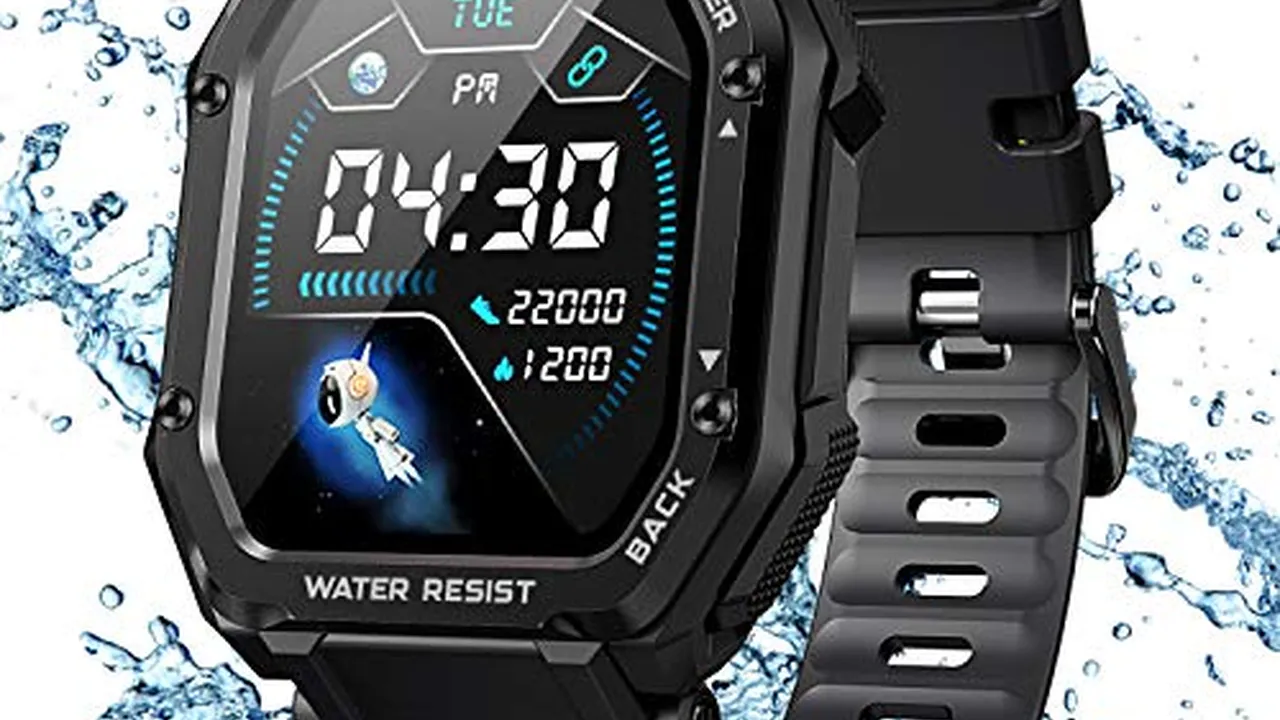
While many smartwatches are water-resistant, this doesn't mean they are waterproof. Water resistance ratings (e.g., 5 ATM, IP68) indicate the depth and duration for which a device can withstand water exposure. Always check your specific model's rating before swimming or showering with it. Avoid exposing your watch to hot water, steam, or harsh chemicals (like chlorine or saltwater) unless explicitly stated by the manufacturer, as these can degrade seals over time. For example, the Garmin Forerunner 955 (starting at $499) has a 5 ATM water rating, making it suitable for swimming, but it's still wise to rinse it with fresh water after exposure to chlorine or saltwater.
Storing Your Smartwatch Properly When Not in Use
If you're not going to use your smartwatch for an extended period, store it in a cool, dry place, ideally with the battery charged to around 50%. This helps prevent deep discharge and preserves battery health. Avoid storing it in direct sunlight or extreme temperatures. A dedicated watch box or a soft pouch can protect it from dust and scratches.
Regular Sensor Cleaning Ensuring Accurate Readings
The optical heart rate sensor on the back of your smartwatch needs to be clean for accurate readings. Sweat and dirt can build up here. Gently wipe the sensor area with a soft, damp cloth after each workout or daily use. This is particularly important for health-focused watches like the Fitbit Sense 2 (starting at $299) or the Withings ScanWatch (starting at $299), which rely heavily on clean sensor contact for ECG and SpO2 measurements.
Troubleshooting Common Issues Quick Fixes
Sometimes, your smartwatch might act up. Here are a few common issues and quick troubleshooting tips:
Connectivity Problems Bluetooth and Wi-Fi
If your smartwatch isn't connecting to your phone or Wi-Fi, try these steps:
1. Restart Both Devices: A simple restart of both your smartwatch and smartphone can often resolve connectivity glitches.
2. Toggle Bluetooth/Wi-Fi: Turn Bluetooth and Wi-Fi off and then back on on both devices.
3. Forget and Re-pair: On your phone, 'forget' the smartwatch in your Bluetooth settings, then re-pair it as if it were a new device.
4. Check for Updates: Ensure both your watch and phone have the latest software updates.
Inaccurate Health Readings Steps, Heart Rate
If your step count or heart rate readings seem off:
1. Clean Sensors: As mentioned, ensure the sensors on the back of the watch are clean and free of debris.
2. Proper Fit: Make sure your watch is snug but not too tight on your wrist. It should be about one finger's width above your wrist bone. A loose fit can lead to inaccurate readings.
3. Calibrate: Some smartwatches allow for calibration of fitness tracking. Check your watch's settings or companion app for this option.
4. Software Glitch: A restart might help. If the issue persists, a factory reset (as a last resort) might be necessary.
Battery Draining Too Fast Identifying the Cause
If your battery life suddenly plummets:
1. Recent App Installation: A newly installed app might be a battery hog. Try uninstalling recent apps to see if it improves.
2. Excessive Notifications: Too many notifications can keep your screen active and drain battery. Adjust your notification settings.
3. Always-On Display: While convenient, the always-on display consumes more power. Try turning it off to see the difference.
4. GPS Usage: Frequent GPS use (e.g., during workouts) is a major battery drain. Limit its use when not needed.
5. Background Refresh: Limit background app refresh for apps you don't need constantly updated.
For example, the Apple Watch Ultra (starting at $799) boasts significantly longer battery life than other Apple Watch models, but even it can be drained quickly with constant GPS and cellular usage. Understanding these factors helps manage expectations and optimize settings.
When to Seek Professional Help Recognizing Serious Issues
While these tips cover most common maintenance and minor troubleshooting, there are times when professional help is necessary. If your smartwatch experiences:
* Persistent Hardware Malfunctions: Buttons not working, screen flickering, or charging issues despite trying different chargers.
* Water Damage: If your watch was exposed to water beyond its rating and is now malfunctioning.
* Significant Battery Swelling: This is a serious safety concern and indicates a failing battery. Stop using the device immediately and seek professional repair.
* Software Bricking: If your watch becomes completely unresponsive after an update or for no apparent reason.
Contact the manufacturer's support or an authorized service center. Attempting complex repairs yourself can void warranties and potentially cause further damage. For instance, Apple offers AppleCare+ for their watches, which covers accidental damage, and Samsung has a network of authorized service centers for their Galaxy Watch line.
By following these comprehensive maintenance tips, you can significantly extend the lifespan of your smartwatch, ensuring it remains a reliable and functional part of your daily life for years to come. Regular care not only preserves its performance but also protects your investment.
:max_bytes(150000):strip_icc()/277019-baked-pork-chops-with-cream-of-mushroom-soup-DDMFS-beauty-4x3-BG-7505-5762b731cf30447d9cbbbbbf387beafa.jpg)