Smartwatch Connectivity Bluetooth WiFi LTE Explained
Understand the different connectivity options in smartwatches: Bluetooth, Wi-Fi, and LTE. Choose the best option for your usage.
Understand the different connectivity options in smartwatches: Bluetooth, Wi-Fi, and LTE. Choose the best option for your usage.
Smartwatch Connectivity Bluetooth WiFi LTE Explained
Understanding Smartwatch Connectivity Options for Seamless Experience
So, you're eyeing a new smartwatch, huh? That's awesome! These little gadgets are becoming more and more powerful, but one of the biggest things to wrap your head around before buying is how they connect to the world. We're talking about Bluetooth, Wi-Fi, and LTE. Each has its own perks and drawbacks, and knowing the difference can really help you pick the perfect watch for your lifestyle. Let's break it down, shall we?
Bluetooth Connectivity The Foundation of Smartwatch Communication
Bluetooth is pretty much the baseline for almost every smartwatch out there. Think of it as the primary way your smartwatch talks to your smartphone. It's a short-range wireless technology, meaning your watch needs to be relatively close to your phone (usually within 30 feet or so) to maintain a connection. This is how your watch gets notifications, syncs health data, and even controls music playback on your phone.
How Bluetooth Works for Smartwatches
When your smartwatch is connected via Bluetooth, it's essentially acting as an extension of your phone. All the heavy lifting – like processing data from apps or accessing the internet – is still done by your smartphone. The watch just displays the information and sends commands back. This setup is super efficient for battery life on both devices because the watch isn't constantly trying to find a network connection on its own.
Advantages of Bluetooth Only Smartwatches for Daily Use
- Battery Efficiency: This is a big one. Bluetooth-only watches tend to have much longer battery lives compared to their Wi-Fi or LTE counterparts. Less power consumption means less charging, which is always a win.
- Cost-Effective: Generally, smartwatches that only offer Bluetooth connectivity are more affordable. You're not paying for extra hardware or cellular plans.
- Simplicity: They're straightforward to set up and use. Pair it once, and you're good to go as long as your phone is nearby.
Disadvantages of Bluetooth Only Smartwatches and Limitations
- Phone Dependence: The biggest drawback. If you leave your phone at home, your Bluetooth-only smartwatch becomes a fancy digital watch. No notifications, no calls, no streaming music directly.
- Limited Range: You're tethered to your phone. Want to go for a run without your phone but still get messages? Not happening with just Bluetooth.
Recommended Bluetooth Only Smartwatches for Budget Conscious Buyers
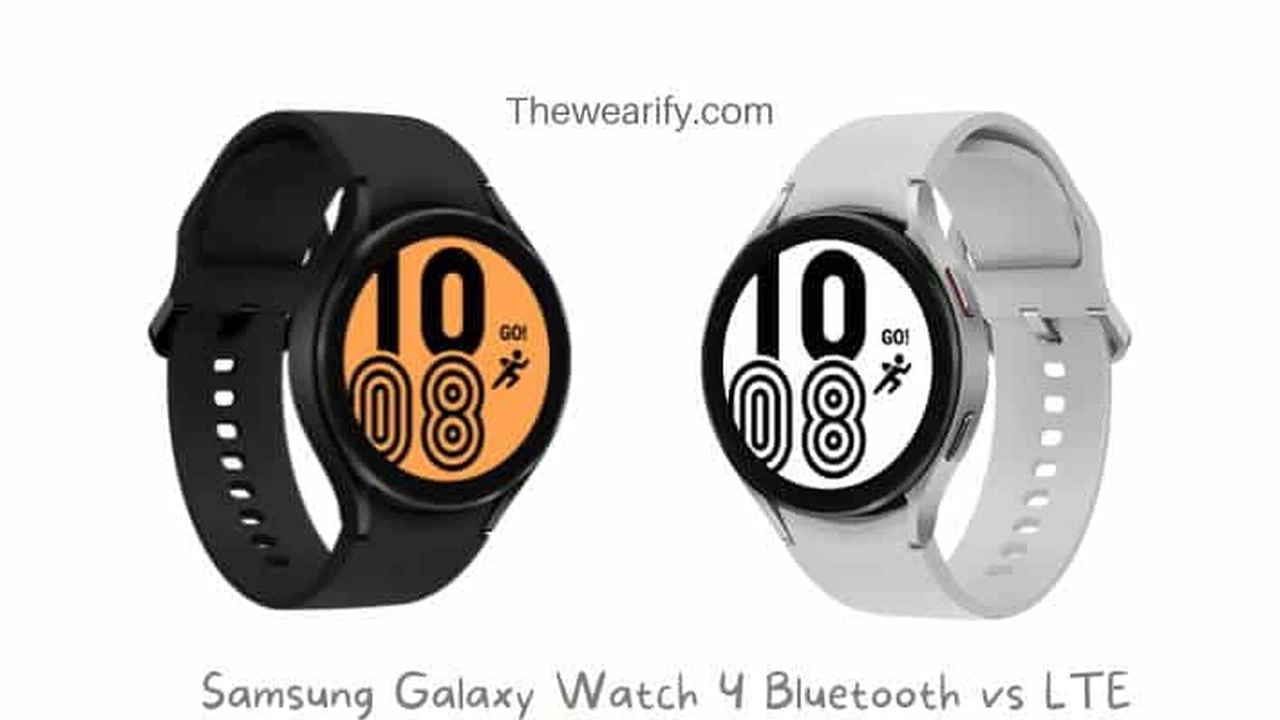
If you're looking for a solid Bluetooth-only experience, especially if you always have your phone with you, there are some great options. The Fitbit Versa 4 is a fantastic choice for fitness tracking and basic notifications, usually retailing around $199. It's lightweight and has excellent battery life. For Android users, the Samsung Galaxy Watch 4 (Bluetooth version), often found for around $179, offers a great Wear OS experience with robust health features. Apple users might consider the Apple Watch SE (GPS only), which starts at about $249, providing a seamless Apple ecosystem experience without the cellular premium.
Wi-Fi Connectivity Expanding Smartwatch Independence
Many smartwatches, especially the more advanced ones, also come with Wi-Fi capabilities. This is a step up from Bluetooth because it allows your watch to connect directly to a Wi-Fi network, just like your phone or laptop. This means your watch can access the internet and perform certain functions even if your phone isn't nearby, as long as both devices are connected to the same Wi-Fi network, or your watch is connected to any known Wi-Fi network.
How Wi-Fi Enhances Smartwatch Functionality
With Wi-Fi, your smartwatch can download app updates, stream music from services like Spotify (if the app is available on the watch), and even send messages or make calls using Wi-Fi calling, all without your phone being right next to you. It's a great feature for when you're at home, at the office, or at the gym where Wi-Fi is readily available.
Advantages of Wi-Fi Enabled Smartwatches for Home and Office
- Increased Independence: You can leave your phone in another room and still get notifications, check emails, and even stream music.
- Faster Data Transfer: Wi-Fi is generally much faster than Bluetooth, which is great for downloading apps or syncing large amounts of data.
- No Cellular Plan Needed: You get more independence without the added cost of a monthly cellular plan.
Disadvantages of Wi-Fi Enabled Smartwatches and Power Consumption
- Battery Drain: Using Wi-Fi consumes more power than Bluetooth, so your battery life will be shorter when actively connected to Wi-Fi.
- Limited Mobility: You're still tied to Wi-Fi hotspots. Once you step out of Wi-Fi range, you're back to Bluetooth-only functionality (unless you also have LTE).
Top Wi-Fi Smartwatch Models for Enhanced Connectivity
Most premium smartwatches today include Wi-Fi. The Apple Watch Series 8 (GPS only), starting around $399, offers robust Wi-Fi capabilities, allowing you to stay connected within your home or office network. The Samsung Galaxy Watch 5 (Bluetooth/Wi-Fi), typically priced around $279, also leverages Wi-Fi effectively for app downloads and updates. For a more fitness-focused option, the Garmin Venu 2 Plus, at about $449, uses Wi-Fi for quick activity uploads and software updates.
LTE Cellular Connectivity The Ultimate Smartwatch Freedom
LTE (Long-Term Evolution), often referred to as cellular connectivity, is the pinnacle of smartwatch independence. A smartwatch with LTE has its own cellular modem and eSIM (embedded SIM), allowing it to connect to a cellular network just like your smartphone. This means you can make and receive calls, send messages, stream music, and use apps that require an internet connection, all without your phone being anywhere near you.
How LTE Transforms Your Smartwatch Experience
Imagine going for a run, leaving your phone at home, and still being able to receive an important call or stream your favorite playlist. That's the power of LTE. It essentially gives your smartwatch its own phone number (or shares your existing one via a carrier plan), making it a truly standalone device for communication and data.
Advantages of LTE Smartwatches for Unparalleled Independence
- True Standalone Functionality: This is the main selling point. You can leave your phone behind and still be fully connected. Perfect for workouts, quick errands, or just wanting to disconnect from your phone without losing essential communication.
- Emergency Features: Many LTE watches offer enhanced emergency calling features, even without a paired phone, which can be a lifesaver.
- Always Connected: As long as there's cellular coverage, your watch is connected.
Disadvantages of LTE Smartwatches and Associated Costs
- Higher Cost: LTE smartwatches are more expensive upfront due to the additional hardware.
- Monthly Cellular Plan: You'll need to pay an additional monthly fee to your mobile carrier to activate the LTE service on your watch. This usually ranges from $5 to $15 per month.
- Significant Battery Drain: Actively using LTE drains the battery much faster than Bluetooth or Wi-Fi. You might find yourself charging daily or even more frequently with heavy LTE usage.
Leading LTE Smartwatch Models for Maximum Freedom
If ultimate independence is what you're after, an LTE smartwatch is the way to go. The Apple Watch Ultra, starting at $799, is a top-tier option with robust LTE, incredible battery life (even with cellular), and advanced features for adventurers. For a more mainstream choice, the Apple Watch Series 8 (GPS + Cellular), starting at $499, offers excellent LTE performance within the Apple ecosystem. On the Android side, the Samsung Galaxy Watch 5 Pro LTE, typically around $499, provides a premium Wear OS experience with strong cellular capabilities and a focus on outdoor activities. The Google Pixel Watch (LTE), at about $399, is another strong contender for Android users, offering a clean Wear OS interface and seamless Google integration.
Choosing the Right Connectivity for Your Smartwatch Needs
So, how do you decide which connectivity option is best for you? It really boils down to your lifestyle and how you plan to use your smartwatch.
Consider Your Daily Routine and Phone Habits
- Always Have Your Phone? If your phone is always in your pocket or bag, a Bluetooth-only or Wi-Fi enabled smartwatch might be perfectly sufficient. You'll save money upfront and on monthly fees.
- Frequent Phone-Free Activities? If you often leave your phone behind for runs, gym sessions, or quick trips to the store, an LTE smartwatch offers unparalleled convenience and peace of mind.
- Homebody or Office Worker? If you spend most of your time in Wi-Fi enabled environments, a Wi-Fi capable watch gives you a good balance of independence without the cellular cost.
Budget and Long Term Costs of Smartwatch Connectivity
Don't forget to factor in the costs. A Bluetooth-only watch is the cheapest. A Wi-Fi enabled watch is a bit more. An LTE watch is the most expensive upfront and comes with an ongoing monthly cellular fee. Over a few years, that monthly fee can add up, so make sure you truly need that cellular independence to justify the extra expense.
Battery Life Expectations Across Connectivity Types
Battery life is a huge consideration. Bluetooth is king for longevity. Wi-Fi will drain it faster, and LTE will drain it the fastest, especially when actively used for calls or streaming. If you hate charging your devices daily, lean towards Bluetooth or be prepared for more frequent charging with LTE.
Smartwatch Connectivity Scenarios Real World Examples
Let's look at some real-world scenarios to help you visualize the differences:
- Scenario 1: The Gym Enthusiast
You love hitting the gym but hate carrying your bulky phone. You want to stream music and track your workout. An LTE smartwatch is ideal here. You can leave your phone in the locker, stream music directly to your Bluetooth headphones from your watch, and even receive calls if needed. - Scenario 2: The Home Office Worker
You work from home and your phone is often charging in another room. You want to get notifications and control smart home devices from your wrist. A Wi-Fi enabled smartwatch is perfect. As long as your watch is on your home Wi-Fi, you're connected without needing your phone right next to you. - Scenario 3: The Casual User
You mostly use your smartwatch for notifications, basic fitness tracking, and telling time. Your phone is almost always with you. A Bluetooth-only smartwatch is the most cost-effective and battery-efficient choice for you. - Scenario 4: The Outdoor Adventurer
You go hiking or camping in areas with spotty phone service but want to ensure you can make emergency calls. An LTE smartwatch with robust GPS and emergency features (like the Apple Watch Ultra or Garmin Fenix series with LTE) provides critical safety and communication capabilities.
Future Trends in Smartwatch Connectivity and Beyond
The world of smartwatch connectivity is always evolving. We're seeing improvements in LTE efficiency, better Wi-Fi integration, and even discussions around future technologies like 5G for wearables. The goal is always to provide more independence, better performance, and longer battery life. As these technologies advance, smartwatches will become even more capable standalone devices, blurring the lines between a watch and a mini-smartphone on your wrist.
Ultimately, the best smartwatch connectivity for you depends entirely on your personal needs and how you envision integrating this tech into your daily life. Take your time, weigh the pros and cons, and you'll find the perfect connected companion for your wrist!
:max_bytes(150000):strip_icc()/277019-baked-pork-chops-with-cream-of-mushroom-soup-DDMFS-beauty-4x3-BG-7505-5762b731cf30447d9cbbbbbf387beafa.jpg)